Cueva Pulse · How to
Sync Resolume to CDJs over Pro DJ Link
Getting BPM, beat position and section changes out of a CDJ and into Resolume Arena over OSC, and what each of the available routes actually gives you.
 Click to enlarge
What the CDJs actually broadcast
Pro DJ Link players put a lot on the network without being asked. Current BPM, beat position within the bar, playhead position, play and pause state, which player is master, track metadata and the rekordbox entry for the loaded file. That is broadcast over standard Ethernet, so any machine on the same switch can read it.
What is not on the network is any sense of musical structure. The players do not tell you a drop is coming, because they do not know.
The routes into Resolume
Resolume takes OSC, and its clock can be driven externally, so the job is getting player state into OSC messages. The usual routes are Beat Link Trigger, which is free and does the Pro DJ Link decoding well and lets you script OSC out of it; Ableton Link where the setup supports it, which gives shared tempo and phase but nothing about the track; or a manual tap tempo, which nobody enjoys after the second hour.
All three land in the same place. Your clips run in time with the music, and clip changes are still your job.
Adding structure to the sync
Being in time is the floor, not the ceiling. A clip that is beat perfect through a breakdown is still the wrong clip. What you want is the layer change to happen because the music changed, which means something in the chain has to know that the breakdown just started.
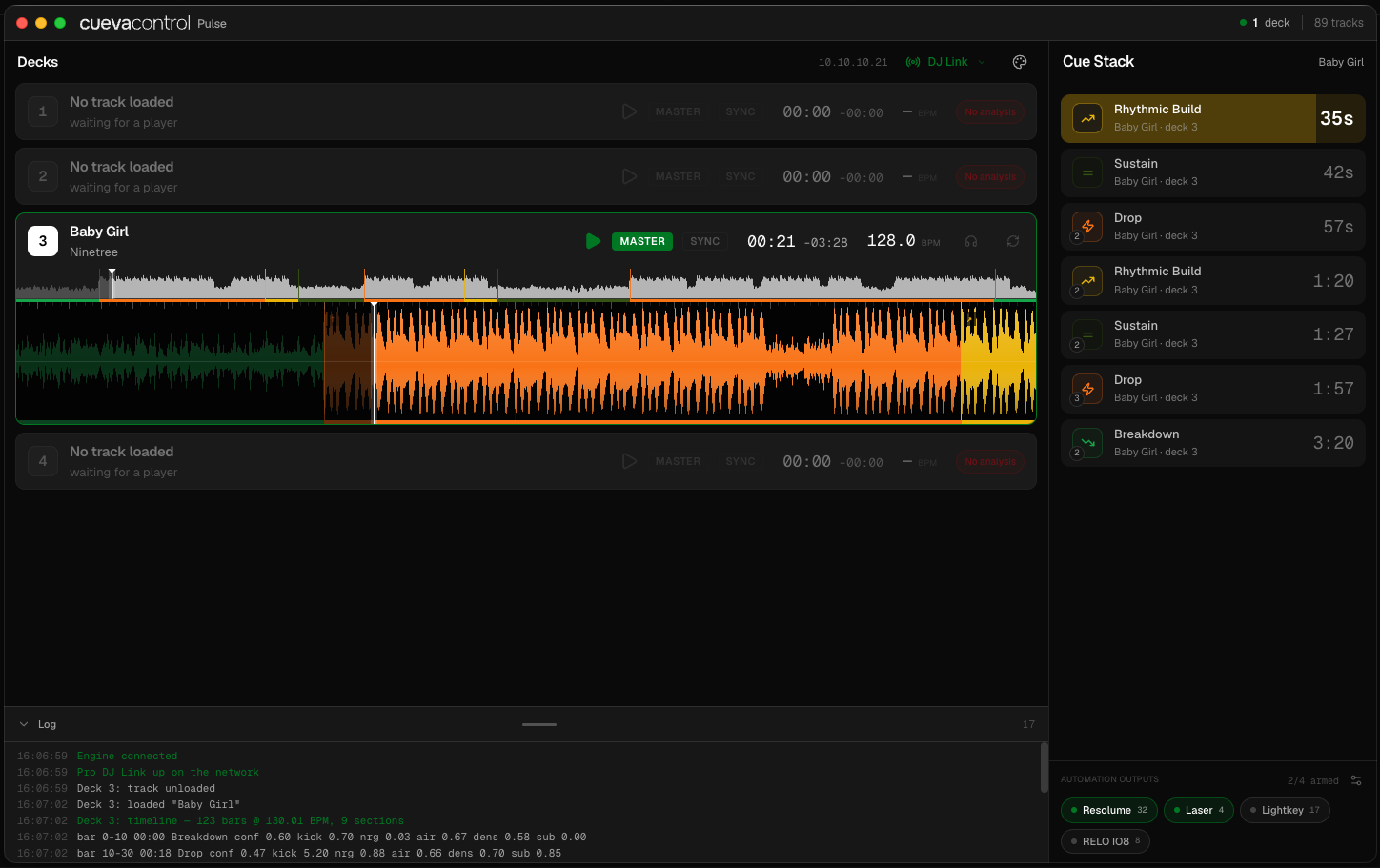
Cueva Pulse sends OSC on section boundaries as well as beats. Build starting, drop landing, breakdown opening, each with a confidence value and a countdown ahead of it. In Resolume you map those to clip launches, layer opacity or column changes, so the visuals restructure with the track rather than just pulsing along with it.
Side by side
BPM and beat sync alone versus Cueva Pulse.
| BPM and beat sync alone | Cueva Pulse | |
|---|---|---|
| Tempo and beat phase | Yes | Yes |
| Track and artist metadata | Yes, from the player | Yes, from the player |
| Section changes as OSC | No | Yes, with confidence |
| Advance warning of a drop | No | Countdown in seconds and bars |
| Clip changes | Manual | Triggered by section, or manual |
| Fake drop handling | Not applicable | Detected as its own event type |
| Setup effort | Low | Low |
Comparison correct to the best of our knowledge at the time of writing, based on each product's public documentation. Cueva Pulse is in development, so its column describes intended behaviour rather than a tested release. Spotted something wrong? Tell us and we will correct it.
Waitlist
Pulse is not out yet.
It is in development now. The waitlist gets the beta first.
Join the Pulse waitlist
Beta invites go out to the list first.
Questions
Straight answers, no sales pitch.
No. Everything comes over the network from the players. The audio analysis reads the track files, not a live audio input.
Arena and Avenue both accept OSC, so both work. Arena is the more common choice in the venues this is aimed at.
Anything that takes OSC or MIDI can be driven the same way, including TouchDesigner, MadMapper and VDMX.
Read more
Other ways people solve this.
Overview
What Cueva Pulse does
What it detects, what it connects to, how the confidence threshold works, and how to get on the waitlist.
Read itComparison
Beat Link Trigger alternative
Beat Link Trigger fires cues from beat position and rekordbox phrase data. Cueva Pulse analyses the audio itself, so it works without phrase analysis.
Read itComparison
DJ lighting without timecode
Timecode needs a fixed timeline, and a DJ set does not have one. How Cueva Pulse triggers lighting cues from what the DJ actually plays instead.
Read itHow to
Trigger DMX lighting from CDJs
Getting cues out of Pro DJ Link players into grandMA, ChamSys, Avolites or any Art-Net and sACN rig, and why beat sync alone is not enough.
Read itThe drop, before it lands.
Pulse is in development. Join the waitlist and you get the beta first.