Software

Powerful software
for every layer of control.

From configuring hardware to building end-user interfaces, the Cueva Control software suite covers the full workflow. All on one platform.

Desktop App
Available now

Cueva Control
Desktop.

The central hub for configuring and managing your Cueva Control hardware. Build automation flows, monitor your devices and control everything from one place. Available on Mac and Windows.

  • Visual node-based flow editor
  • TCP, UDP, OSC, GPIO, ArtNet triggers and actions
  • Runs on-device, works without internet
  • Real-time device status and diagnostics
  • Firmware update management
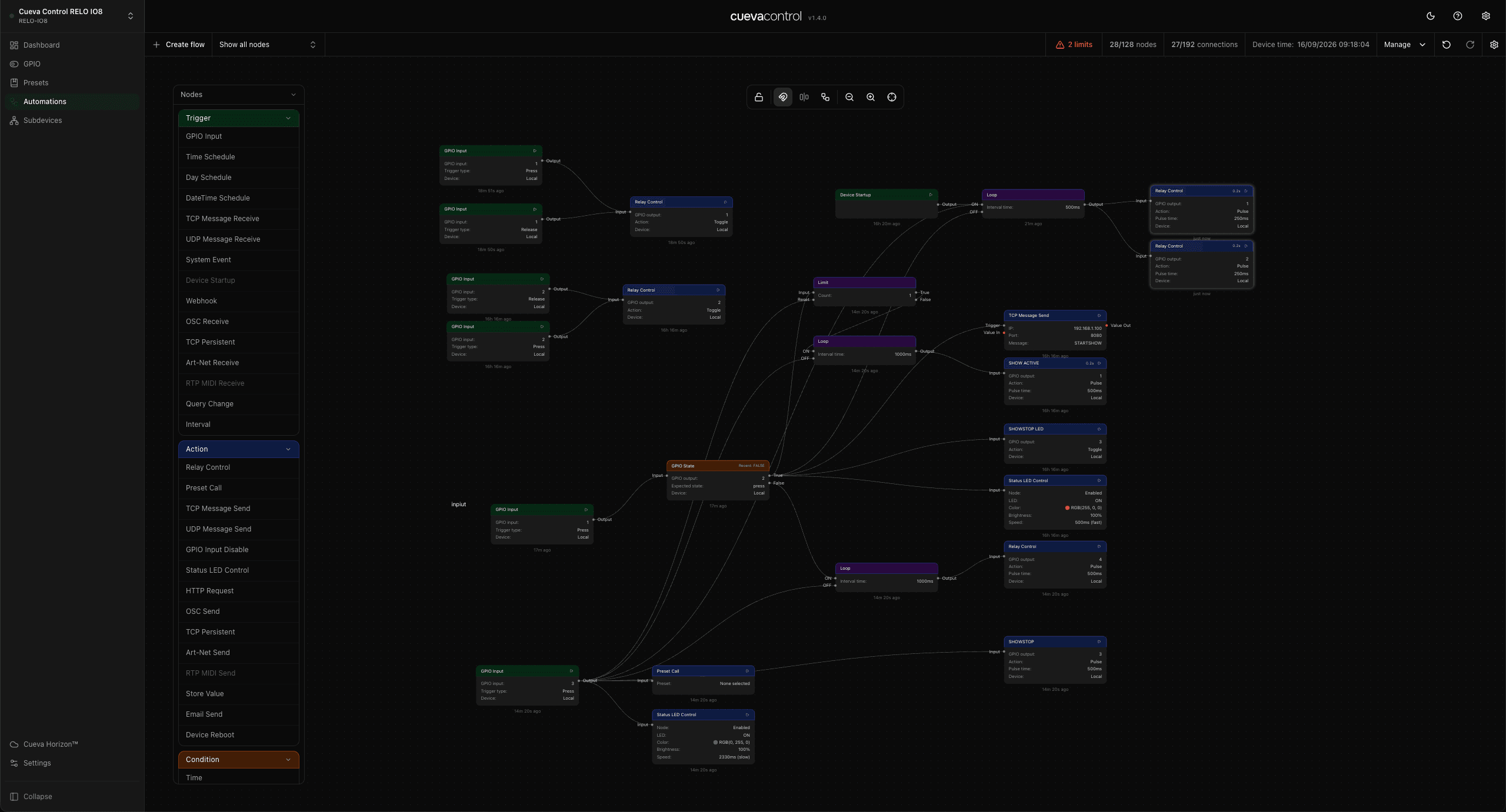
Cueva Desktop flow editor
Flow Editor

Connect nodes.
Visually.

Drag from any output handle to an input to wire up your automation. No code, no config files.

GPIO Input
GPIO input:1
Trigger type:Press
Device:Local
Delay
Delay:1s
Relay Control
GPIO output:1
Action:Toggle
Device:Local
Output
Input
Output
Input
Flow Editor

Every node.
One canvas.

Build automations by connecting nodes visually: triggers, actions, conditions, executions and queries. All on one canvas.

GPIO InputTrigger
PinGPIO 4
ModePull-up
TCP ReceiveTrigger
Port9000
Messagestart
Time ScheduleTrigger
Time08:00
DaysMon–Fri
UDP ReceiveTrigger
Port9001
Messageany
Relay ControlAction
Relay1
ActionOn
TCP SendAction
Host192.168.1.50
Port4000
HTTP RequestAction
MethodPOST
URL/api/trigger
OSC SendAction
Address/cue/1/start
Port8000
GPIO StateCondition
PinGPIO 2
StateHigh
DelayExecution
Duration500ms
Get GPIO StateQuery
PinGPIO 3
Get System InfoQuery
FieldUptime
Flow Editor

Triggers, actions,
conditions.

Every node has a role. Triggers start the flow, conditions shape it and actions make it happen. All on one canvas.

Triggers14
GPIO InputDigital input pin
Time ScheduleFire at a specific time
Day ScheduleFire on day of week
DateTime ScheduleDate + time combination
TCP Message ReceiveIncoming TCP string
UDP Message ReceiveIncoming UDP packet
System EventInternal system events
Device StartupRuns once on boot
HTTP WebhookInbound HTTP request
OSC ReceiveOSC address pattern
TCP PersistentPersistent TCP connection
Art-Net ReceiveDMX universe frame
Query ChangeFires when query value changes
IntervalRepeating timer
Actions14
Relay ControlSet relay output state
Preset CallTrigger a saved preset
TCP Message SendOutbound TCP command
UDP Message SendOutbound UDP packet
GPIO Input DisableEnable / disable GPI pin
Webhook SendOutbound HTTP webhook
Status LED ControlSet front panel LED colour
HTTP RequestGET / POST / PUT
OSC SendSend OSC address
TCP PersistentSend on persistent connection
Art-Net SendDMX cue to console
Store ValueWrite to a stored variable
Email SendSend an email notification
Device RebootRestart the device
Conditions5
TimeCompare current time
DayCompare day of week
GPIO StateCheck input pin state
Relay StateCheck relay output state
If ValueCompare any value
Execution9
DelayWait N milliseconds
LoopRepeat while condition true
RepeatRepeat N times
LimitRate limit / debounce
SwitchMulti-branch routing
Logic OperatorAND / OR / NOT logic
RandomizerRandom value or branch
SequencerStep through a sequence
StopHalt flow execution
Query4
Get System InfoRead device system data
Get TimeRead current time
Get GPIO StateRead input pin state
Get Relay StateRead relay output state