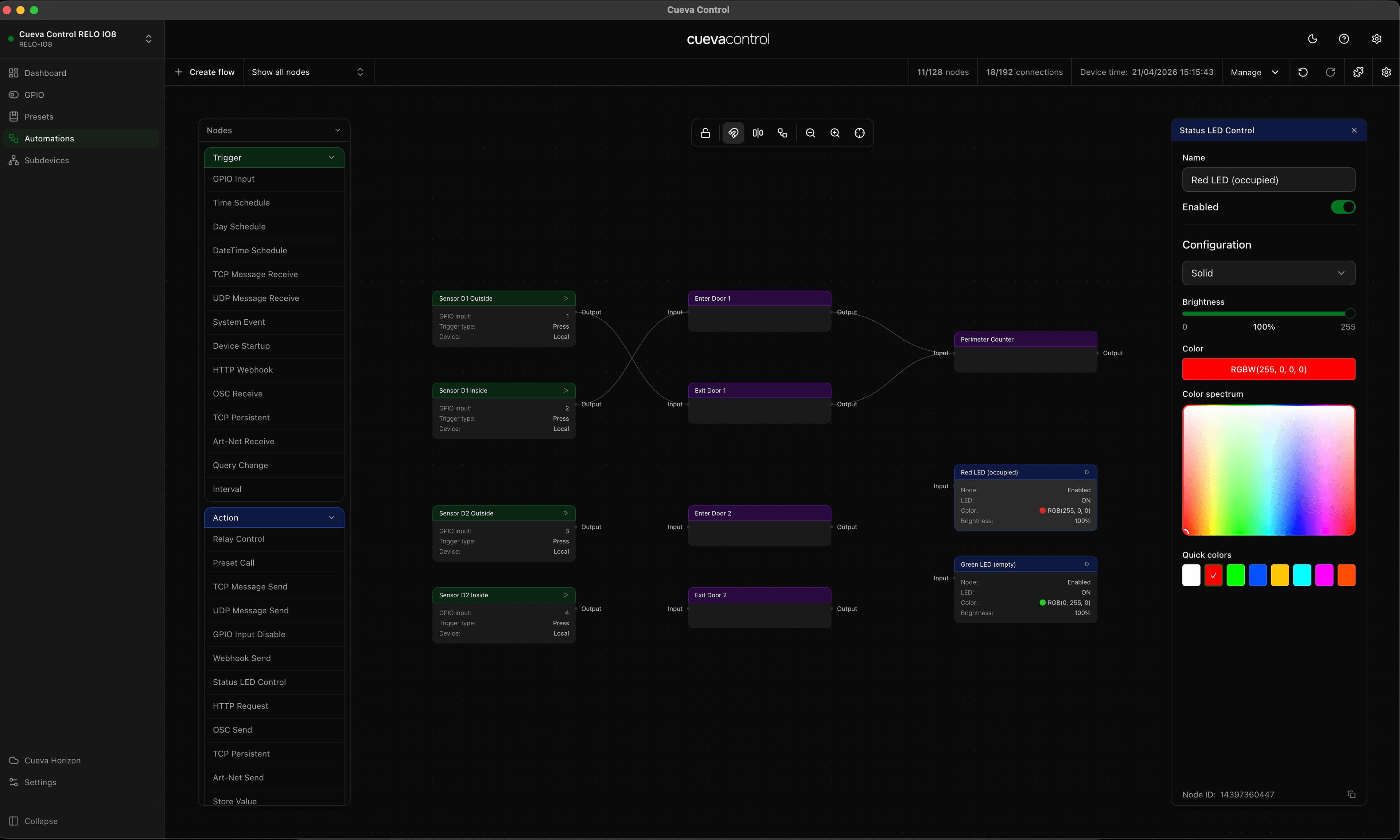
Most OSC controllers output a float between 0.0 and 1.0. DMX fixtures and dimmers expect a value between 0 and 255. The RELO IO8 sits between them and converts in real time. Move a fader and the connected DMX channel follows immediately.
Stream mode
OSC Receive nodes support two modes per endpoint. Match mode fires once when a specific value arrives. Stream mode passes the incoming value continuously downstream as a normalized float. This is what makes real-time control possible.
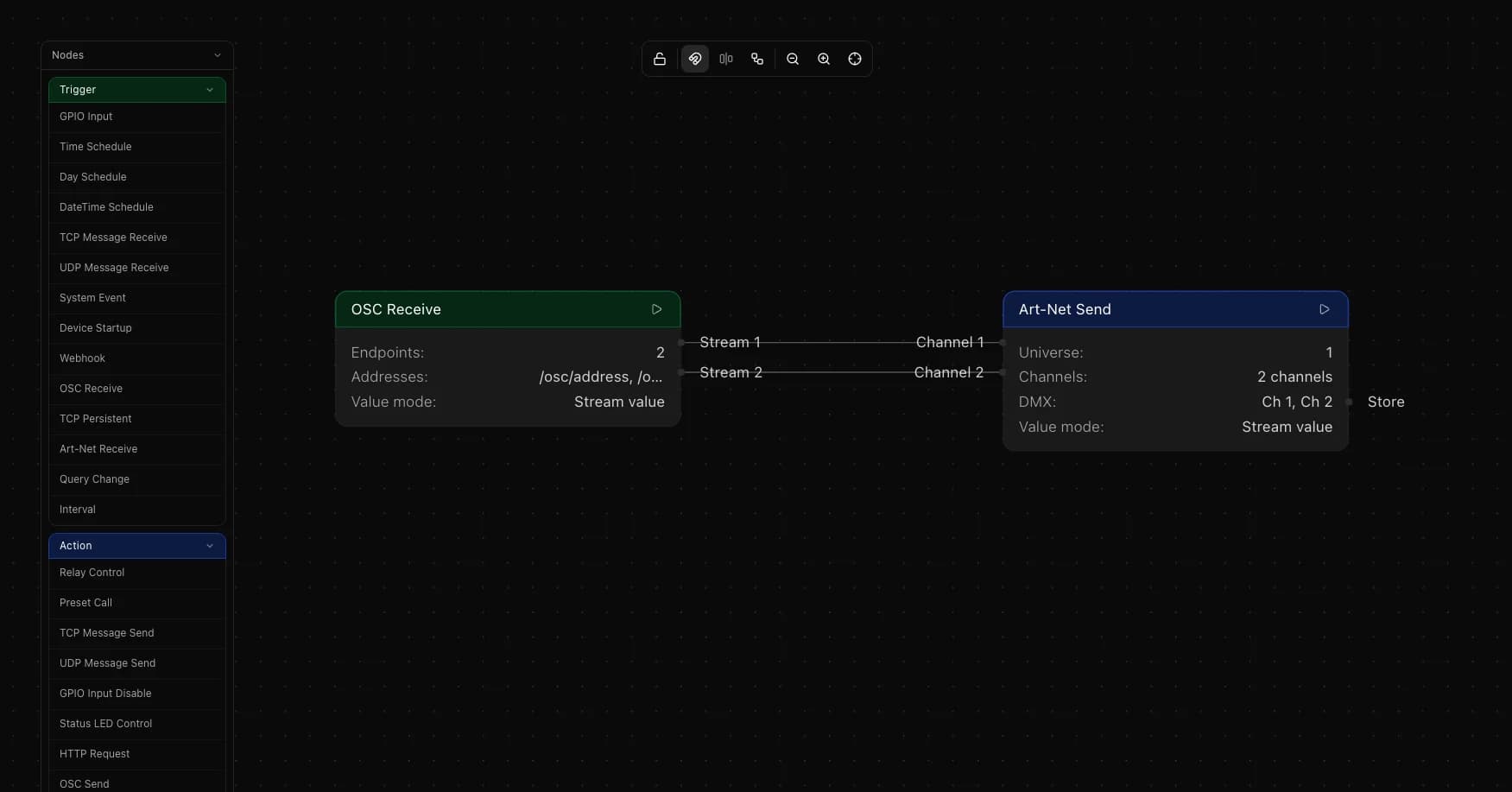
Wire an OSC Receive endpoint in stream mode to an Art-Net Send endpoint in stream mode. The IO8 takes the incoming OSC float and scales it to a DMX value between 0 and 255 automatically. No conversion formula needed.
Setting up the flow
Add an OSC Receive trigger node. Add one endpoint, set the OSC address to match what your controller sends, and set the value mode to Stream.
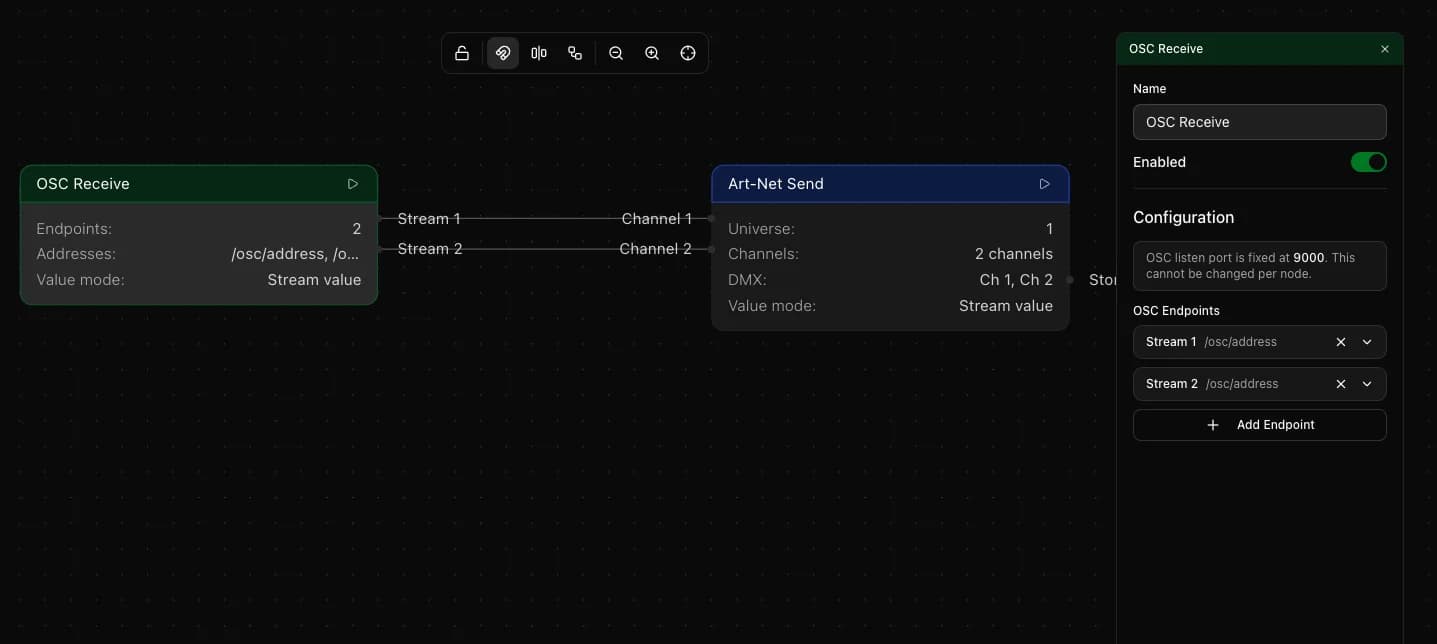
Add an Art-Net Send action node. Add an endpoint for the DMX channel you want to control, set it to Stream mode, and enter the universe and channel number. Wire the OSC Receive endpoint output to the Art-Net Send endpoint input. That is the complete flow.
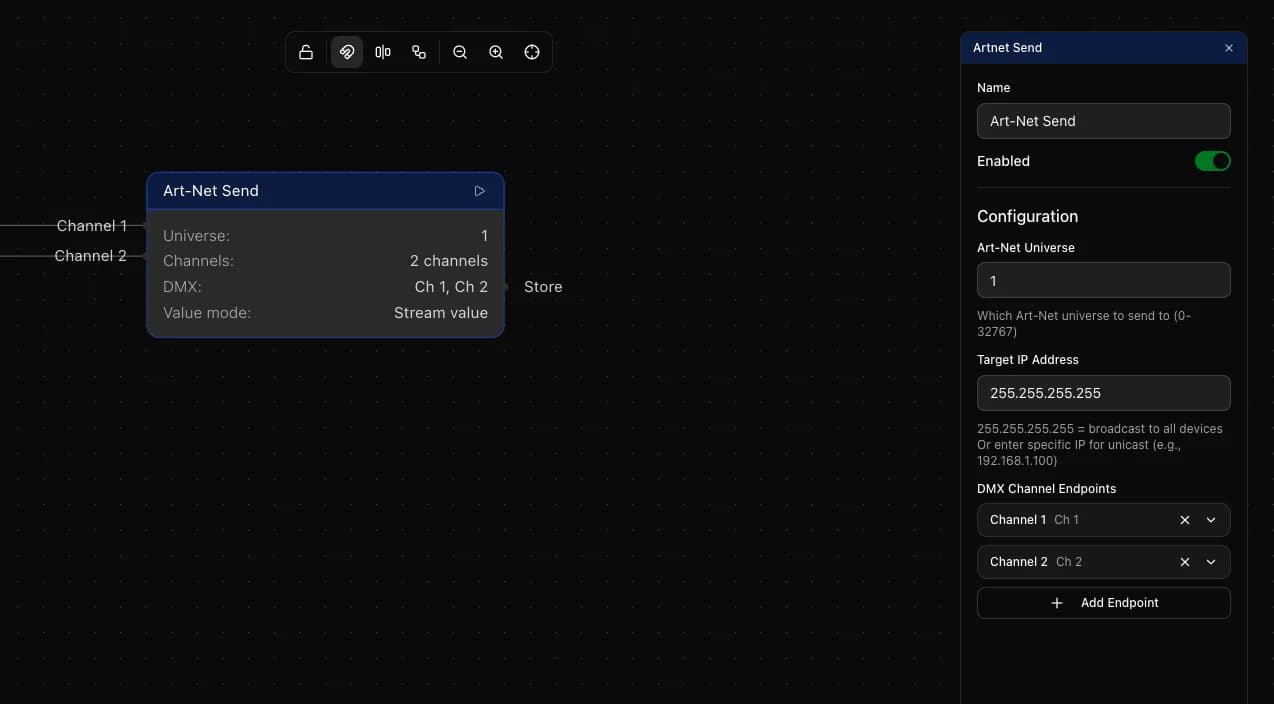
OSC Receive listens on port 9000. Configure your OSC controller to send to that port on the IO8 IP address. Art-Net Send broadcasts to all devices on the network by default. Enter a specific IP to target a single fixture or dimmer pack instead.
Multiple faders at once
Each OSC Receive node supports multiple endpoints, one per OSC address. Each Art-Net Send node supports multiple DMX channel endpoints. Add as many as you need and wire them individually.
To map three OSC faders to three DMX channels: add three endpoints to the OSC Receive node for each address, then three endpoints to the Art-Net Send node for channels 1, 2 and 3. Wire each output to its matching input.
Using match mode for scene triggers
Stream mode is for continuous values. To trigger something only when a fader reaches a specific position, switch that endpoint to Match mode instead. Set the expected value and a tolerance window. The node fires once when the incoming value falls within that range, which you can use to call a preset or trigger any other action.
Things to keep in mind
- OSC Receive listens on port 9000. Configure your controller to send to that port on the IO8 IP address
- Art-Net Send defaults to broadcast which reaches all devices on the subnet. Use a specific IP to target a single device
- The IO8 supports up to 8 Art-Net stream pipelines across the entire flow
- Values scale automatically: OSC floats (0.0 to 1.0) become DMX integers (0 to 255) without any manual conversion