Any device that can send TCP can control a physical relay on the IO8. A touch panel, a screen controller, a building management system or a custom script — send the right string and the IO8 switches the output.
How it works
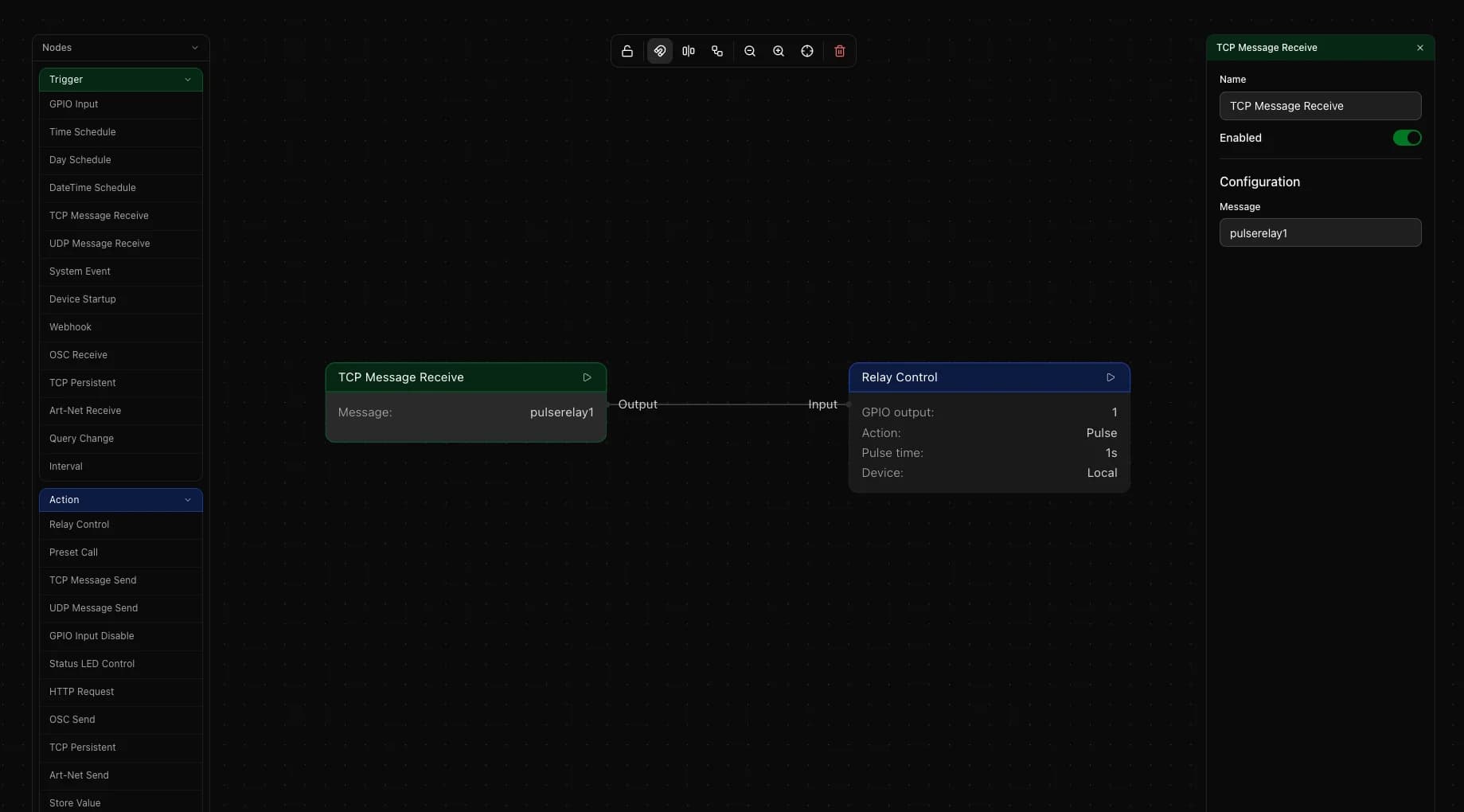
TCP Message Receive is a trigger node that listens for an incoming TCP message on the IO8. You configure a match string and the node fires whenever that exact string arrives. Relay Control is an action node that switches a relay to a defined state. Wire the two together and an incoming TCP string becomes a physical output change.
Setting up the flow
Add a TCP Message Receive trigger node. Type the message string you want to match in the Message field. This is the exact string your sending device must transmit.
Add a Relay Control action node. Select the relay number you want to switch. Choose the action: Turn On, Turn Off, Toggle or Pulse. Wire the TCP Message Receive output to the Relay Control input.
Relay actions
Turn On and Turn Off set the relay to a fixed state regardless of its current state. Toggle flips it — on becomes off and off becomes on. Pulse turns the relay on for a set duration then switches it off automatically. The pulse duration can be set from 250 milliseconds up to 15 minutes, with quick presets for common values like 1 second or 5 seconds.
Multiple commands
Add one TCP Message Receive node per command. Each listens for a different string and can target a different relay or action. For example one node matches startscreen and turns relay 1 on, another matches stopscreen and turns relay 1 off. Both nodes run in the same flow.
Things to keep in mind
- The match string is case-sensitive. The incoming message must match exactly, including any trailing characters or newlines your sending device appends
- The IO8 listens for TCP Message Receive on fixed port 8081, so there is no port to set in the node
- If your sending device requires a persistent open connection rather than a one-shot send, use TCP Persistent on the sending side
- Toggle is useful when the sending device only has a single trigger command and cannot track relay state itself