A projector, display or AV receiver on the network. Wire a button to the IO8 and press it. The device receives a TCP command the moment the button goes down.
How it works
GPIO Input is a trigger node that monitors a physical pin on the IO8. It fires when the pin is pressed or released. TCP Message Send is an action node that opens a connection to a target IP and port, sends your command and closes. Wire the two together and a button press becomes a TCP command.
Setting up the flow
Add a GPIO Input trigger node. Select the pin your button is wired to. Set Trigger Type to Press to fire on button down or Release to fire when the button is let go. Leave Hold Time at 0 for a normal press.
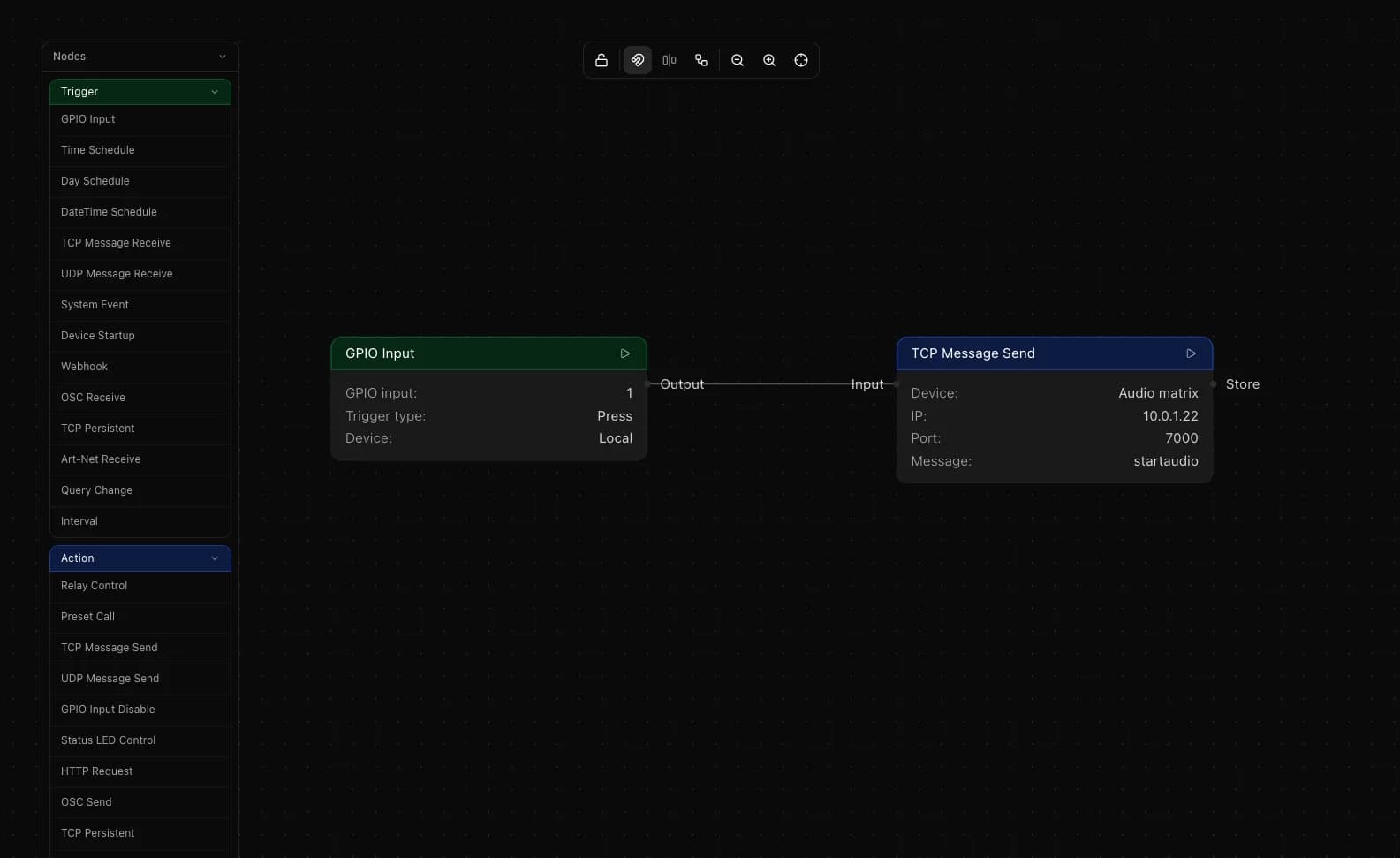
Add a TCP Message Send action node. Select a saved custom subdevice or enter the IP address and port of the target device directly. Type the command in the Message field. Wire the GPIO Input output to the TCP Send input.
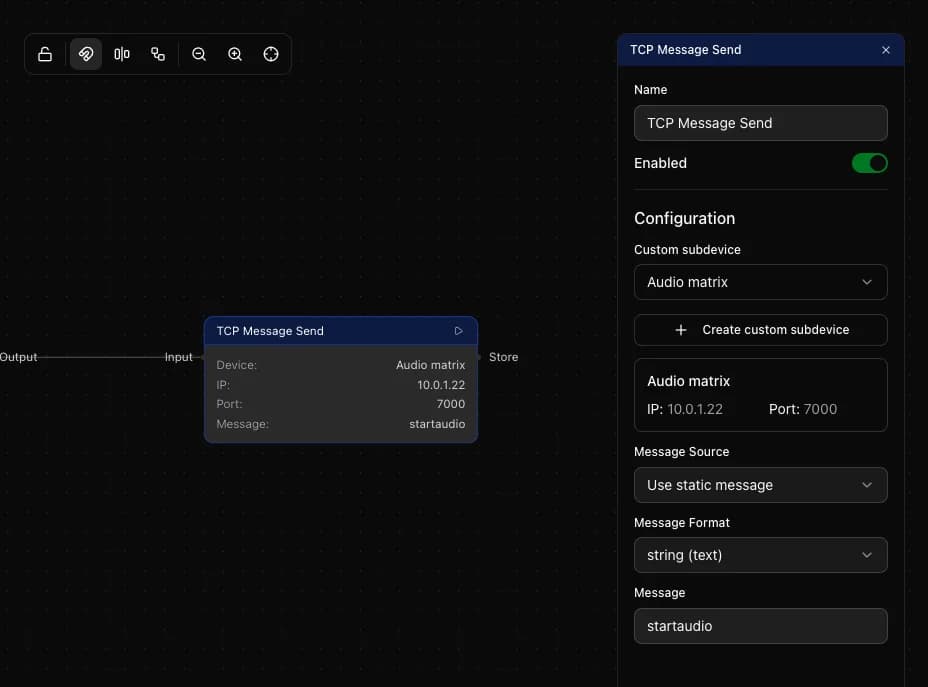
Message format
TCP Message Send supports three formats. String sends plain text and works for most devices that use ASCII commands. Hex sends raw bytes in the format FF 01 03 and is used by devices with binary protocols. Decimal sends space-separated numbers like 255 1 3. Check your device IP control documentation to see which format it expects.
Hold time
The Hold Time field sets a minimum duration in milliseconds the button must be held before the trigger fires. Set it to 500 or 1000 to create a long-press trigger on the same pin. Add two GPIO Input nodes on the same pin with different hold times to handle a short press and a long press, each wired to a different TCP command.
Multiple buttons
Add one GPIO Input node per button. Each can target a different TCP Send with a different command, different IP or different port. There is no limit to how many GPIO inputs you can add to a single flow.
Things to keep in mind
- The IO8 opens a fresh TCP connection for each send and closes it immediately after
- Check your device manual for the exact command string and whether it expects string, hex or decimal encoding
- If the device does not respond, confirm the port is correct and that the device accepts connections from the IO8 IP address
- Use a TCP Persistent node instead if your device requires a persistent open connection rather than a one-shot send