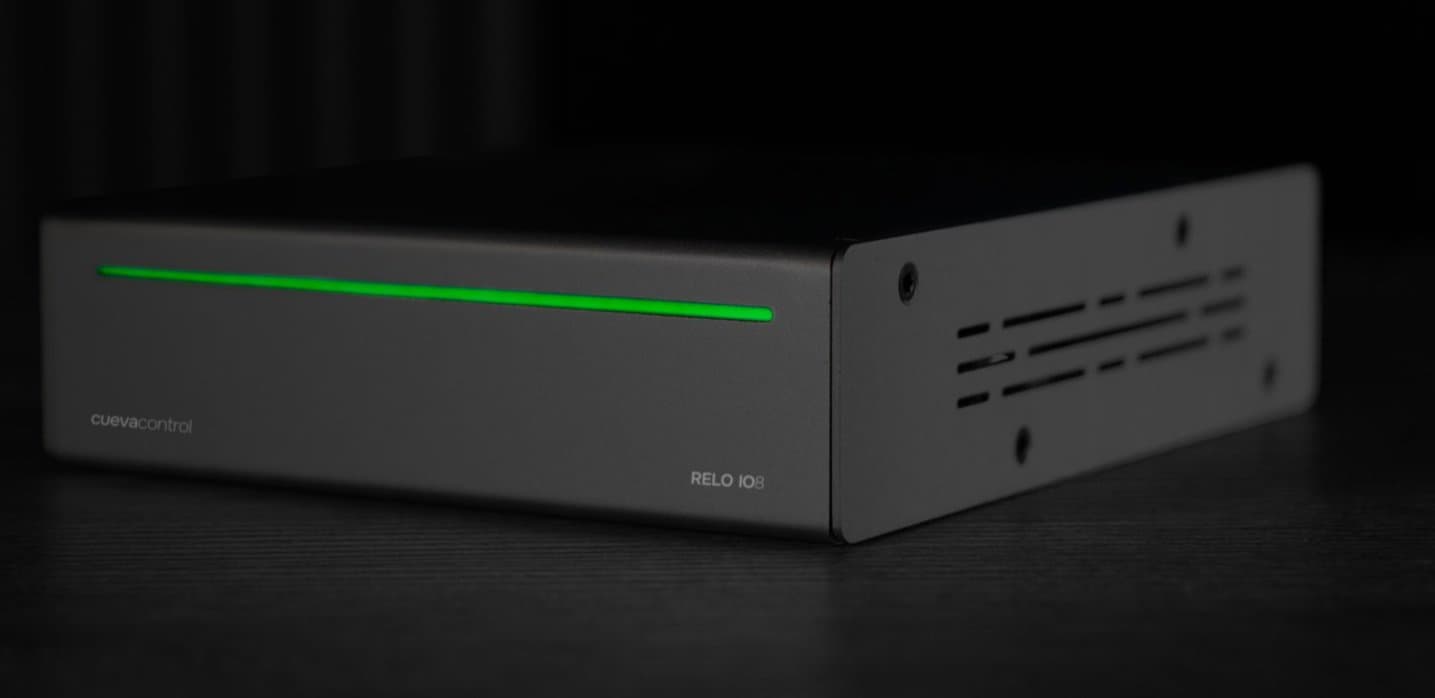
A lighting console controls DMX. A media server or software synth listens on OSC. The RELO IO8 reads the DMX channel value in real time and forwards it as an OSC float to whatever is listening. No scripting and no middleware required.
How it works
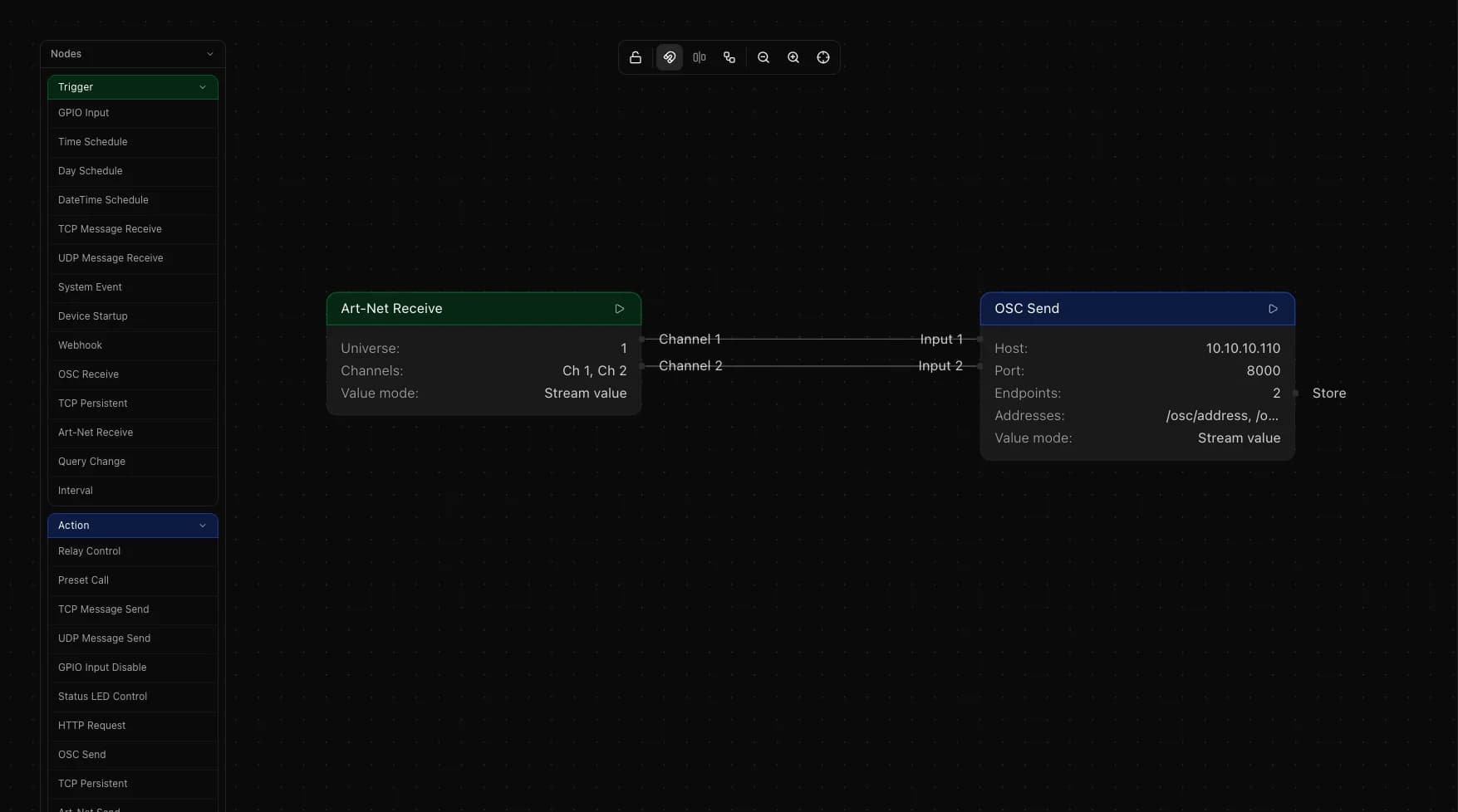
Art-Net Receive is a trigger node that monitors a specific DMX channel on a given universe. In stream mode it outputs the channel value continuously as a normalized float between 0.0 and 1.0. OSC Send is an action node that takes that float and transmits it to a target IP and OSC address. Wire the two together and the values flow in real time.
Setting up the flow
Add an Art-Net Receive trigger node. Set the universe and add one endpoint for the DMX channel you want to monitor. Set the value mode to Stream.
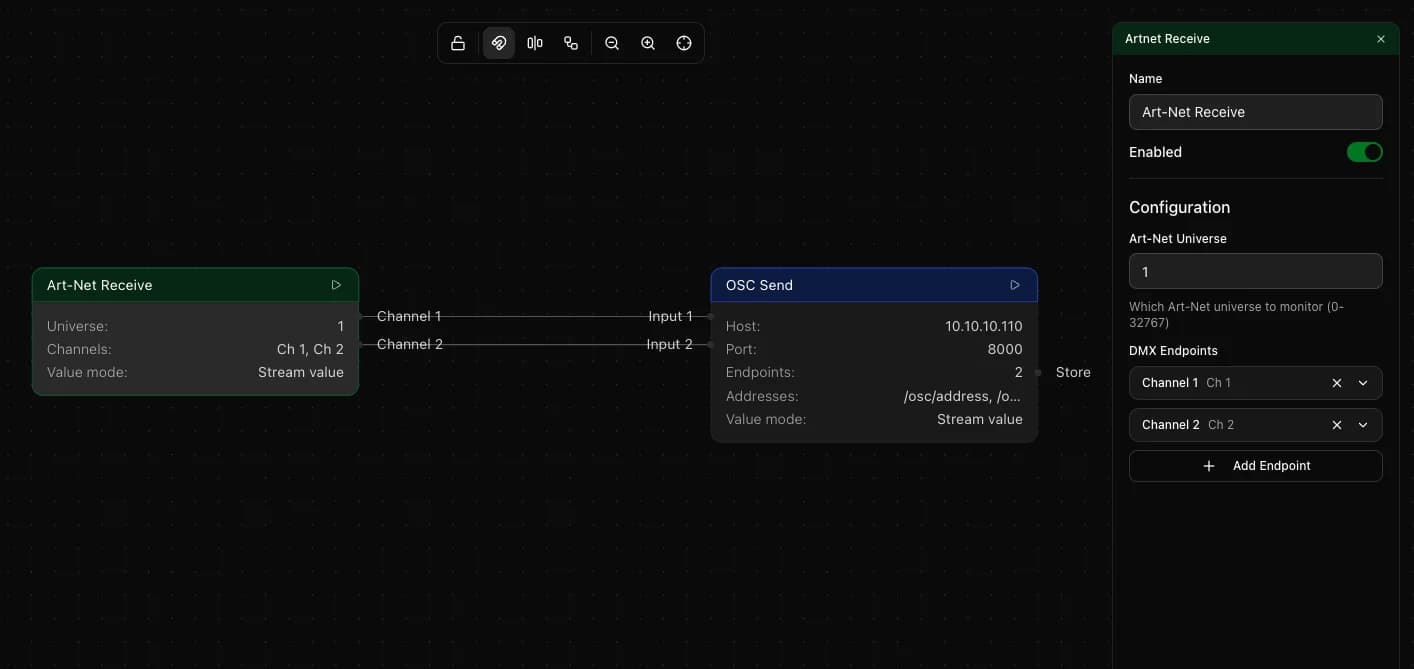
Add an OSC Send action node. Enter the target IP address, port and OSC address. Set that endpoint to Stream mode. Wire the Art-Net Receive output to the OSC Send input. The DMX value (0 to 255) is normalized to a 0.0 to 1.0 OSC float automatically before being sent.
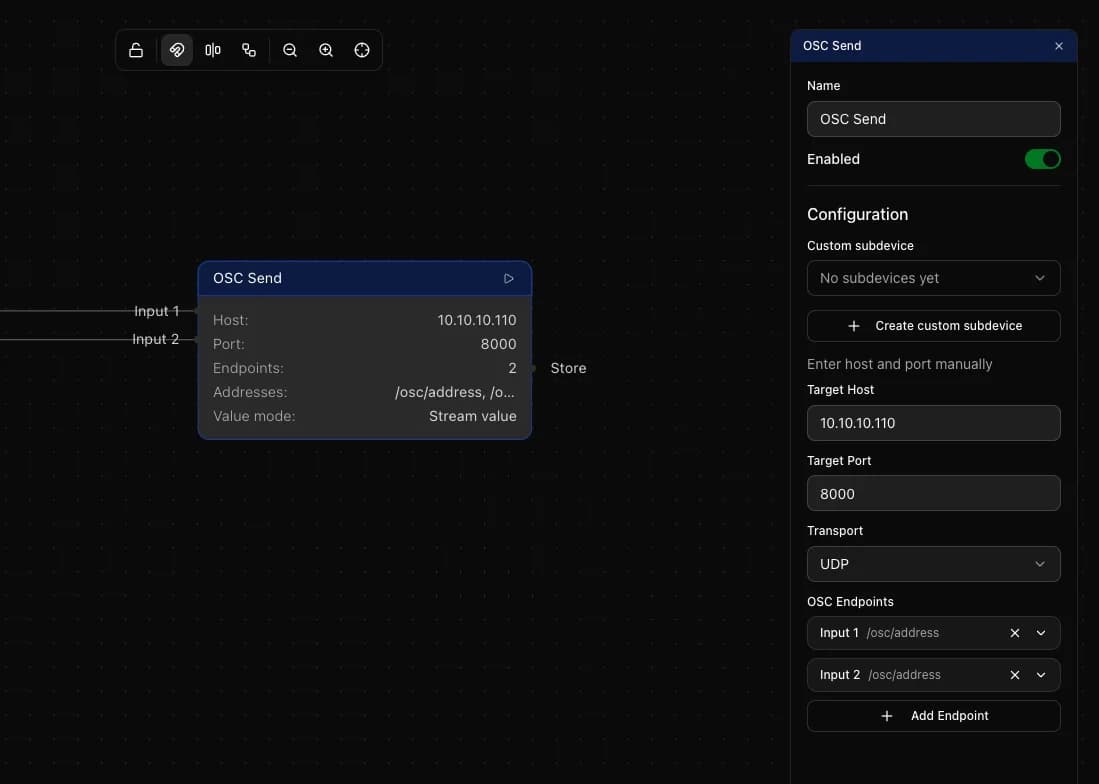
Multiple channels at once
Art-Net Receive supports up to 16 endpoints per node, one per DMX channel. OSC Send supports multiple endpoints as well, one per OSC address. Add endpoints to both nodes and wire them individually to forward multiple channels in a single flow.
Match mode for event triggers
Stream mode forwards every value change. To fire an action only when a DMX channel reaches a specific level, switch that endpoint to Match mode. Set the expected DMX value (0 to 255). The node fires once when the channel hits that value, which you can use to trigger a preset or run any downstream action.
Transport options on OSC Send
OSC Send supports both UDP and TCP as transport. Most OSC devices expect UDP, which is connectionless and low-latency. Use TCP if your target explicitly requires it. Set the port to match what the receiving device listens on.
Things to keep in mind
- Art-Net Receive supports up to 16 endpoints per node
- The IO8 supports up to 8 Art-Net stream pipelines across the entire flow
- DMX values (0 to 255) normalize to OSC floats (0.0 to 1.0) automatically. No manual scaling needed
- Make sure the receiving device is on the same network and listening on the port and OSC address you configure in the send node